To enjoy all that DIGI-FACE has to offer you have to register an account with us. Follow these simple steps to register now:
Visit our website and look out for the Log in or Register button at the top right hand side of your screen.

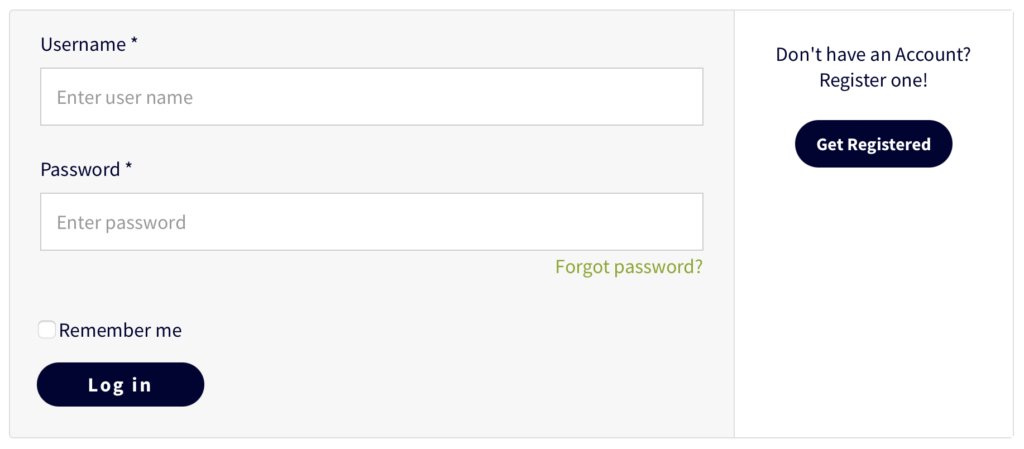
You’ll be redirected to the login screen where registered users can enter their login details. Look out for a the Get Registered button on the right. Click on this button to start the process!
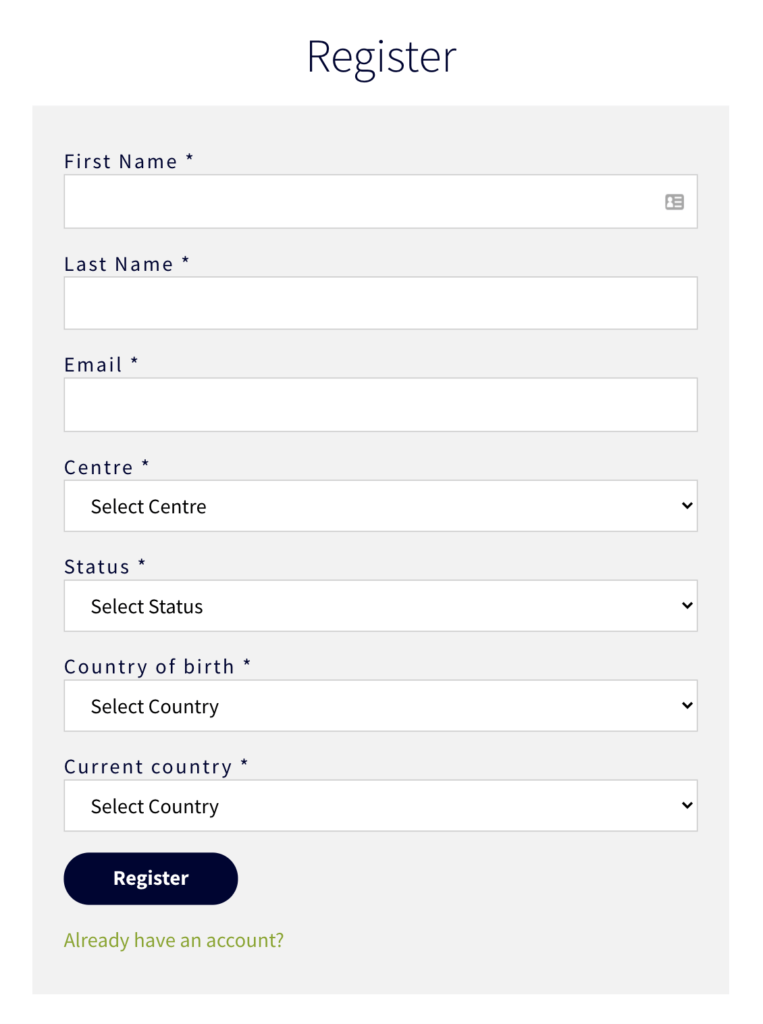
You’ll be redirected to an online form where you need to provide all the information required to register your DIGI-FACE account.
Standard details like First Name (the name people call you) Last Name (your surname) and your email address will be required.
The Country of birth field requires you to enter the name of the country where you were born, while you need to enter the country you are currently living in the Current country field.
Remember to confirm that you understand the data protection statement, and that you agree to the terms of use before clicking Register.
You have now registered on DIGI-FACE. When you are ready we urge you to complete your profile!
However, please note that you will still be able to access everything DIGI-FACE has to offer even if your profile is not complete (e.g. all registered members will be able to access the blog and courses on Learn even if their profiles are not 100% complete).
To go back to the main page please click on the tiny home icon in the top left hand corner of your screen!